A professional website doesn’t necessarily need expensive design software, complicated animations or a large creative budget. Often, the difference between an average website and one that looks carefully designed comes down to how well the basics are handled.
The spacing between sections, the choice of fonts, the arrangement of content, the use of colors and even the appearance of small buttons can influence how visitors see your business.
You have probably come across websites that look impressive despite having very few visual elements. Their design works because everything feels intentional. The headings are easy to read, the layout makes sense and nothing appears out of place.
Achieving that level of quality takes planning and attention to detail. Fortunately, there are plenty of free web design resources that can help.
Whether you are a website designer looking for inspiration, a developer working on an interface or a business owner planning a new website, the following collection gives you useful places to start.
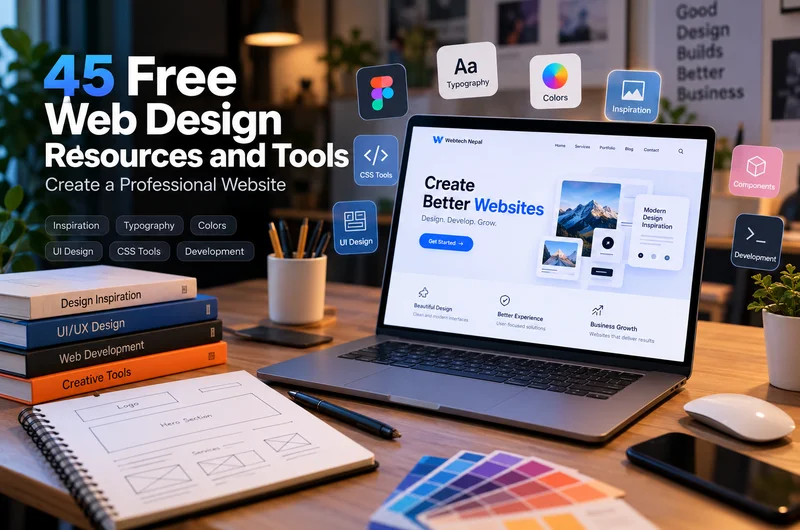
We have put together 45 website design resources and tools, covering everything from creative inspiration and typography to responsive layouts, CSS effects and accessibility.
Many are free to explore or use, while others offer free features alongside paid options.
What Makes a Website Look Professional?
Before exploring the resources, it helps to understand what actually makes a website feel well designed.
A website can use attractive photography, beautiful colors and modern animations but still frustrate visitors if the navigation is confusing or the information is difficult to find.
Professional website design brings appearance and usability together.
1. A clear and organized layout
Visitors should understand what a website offers without searching through unnecessary information.
A well-planned layout guides people from the main heading to supporting details and the next action. It also gives important content enough room to stand out.
For example, a service-based website should make it easy to identify the company’s services, experience, previous work and contact information.
2. Consistent typography
Typography affects how people read and understand a website.
Using too many fonts or inconsistent heading sizes can make a page appear disorganized. A carefully chosen typeface, along with consistent font sizes and line spacing, can improve readability considerably.
Often, one font family with a few different weights is enough.
3. Colors that work together
A website does not need ten different colors to look interesting.
A small palette consisting of a primary color, supporting colors and suitable backgrounds can create a recognizable appearance.
The important thing is to use those colors consistently and maintain enough contrast for text, buttons and other interactive elements.
4. Attention to small details
Buttons, icons, borders, image proportions and hover effects may seem insignificant individually. However, when these elements follow the same design style, the entire website feels more organized.
This is one reason a simple website can appear more professional than a visually complicated one.
5. A good experience on every device
An attractive desktop design means little if visitors cannot comfortably use it on their phones.
Professional website design also requires responsive layouts, readable mobile typography, accessible navigation and fast-loading pages.
At Webtech Nepal, these considerations form part of how we approach website design and development projects for businesses in Nepal and overseas.
Now, let’s look at the resources that can help you apply these principles.
21 Website Design Inspiration Resources
The first step in designing a website is understanding what kind of appearance and experience would suit the project.
Design inspiration websites help you explore different visual styles, study real interfaces and discover creative approaches you may not have considered.
Instead of copying an entire website, pay attention to how individual elements work and why they suit the content.
Website layouts and creative inspiration
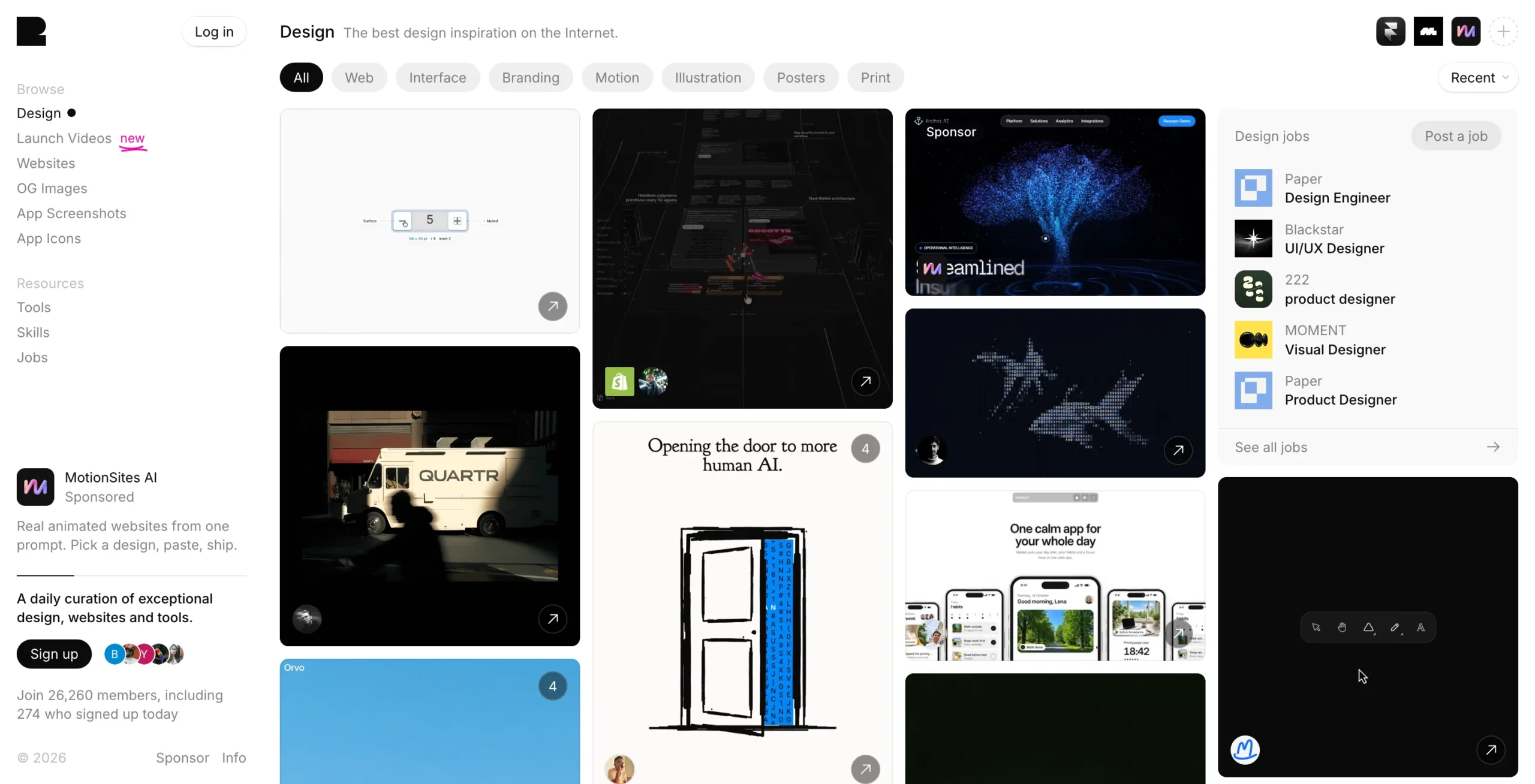
Formerly known as Godly, Recent Design is a collection of creative work covering websites, interfaces, branding and other design categories.
It is particularly useful when you want to explore strong typography, unusual compositions and contemporary visual directions.
Best for: Finding design inspiration for landing pages, portfolios and creative business websites.
2. Siiimple
Siiimple features websites that emphasize clean layouts and minimalist design.
It is worth exploring when you want to understand how a limited number of visual elements can still create an attractive and memorable website.
Best for: Minimal business websites, portfolios and clean landing page layouts.
Web Design Museum documents website and interface designs from different periods of the internet.
Looking at older designs can help you understand how navigation, typography and visual trends have changed over time.
Best for: Exploring web design history and finding ideas outside current trends.
Web Design Clip is a useful source of Japanese website design inspiration.
Japanese websites often approach typography, page composition and information density differently from the styles commonly seen in international design galleries.
Best for: Discovering alternative layouts and editorial design approaches.
5. 404s
Most websites treat a 404 error page as an afterthought.
404s collects creative error-page designs and shows how even a simple page-not-found message can reflect a website’s personality.
Best for: Designing custom 404 pages and exploring playful interface ideas.
Interactions, animation and visual details
6. Hover States
Hover States showcases websites with interesting interactive and motion design.
Study how designers use movement, transitions and interaction to make interfaces respond to users.
Best for: Hover effects, interactive menus and creative website interactions.
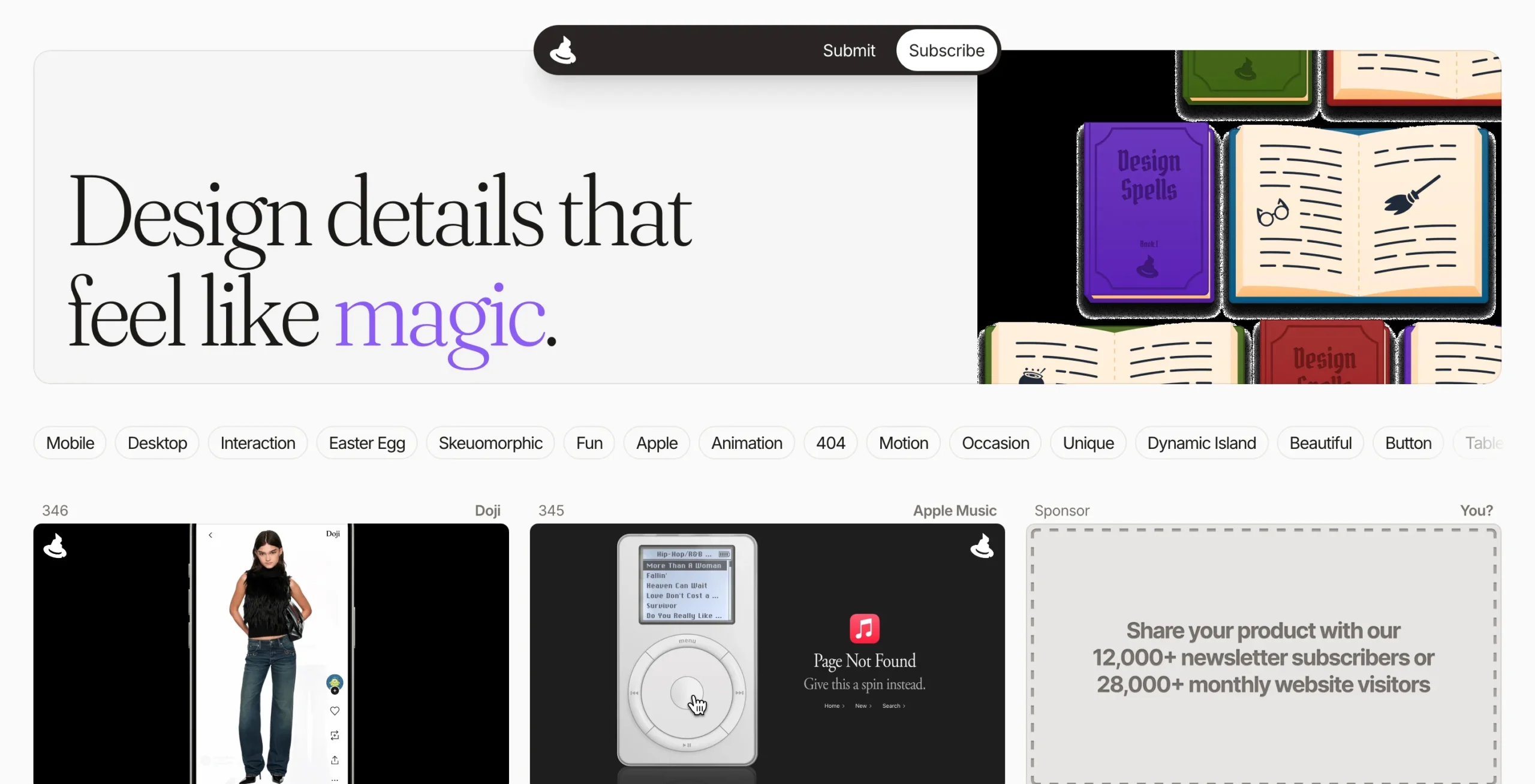
Design Spells highlights small interface details and interactions that make digital products more enjoyable to use.
It can help you think beyond the appearance of a button and consider what happens when someone interacts with it.
Best for: Micro-interactions, button states and interface feedback.
8. The FWA
The FWA features creative digital projects, including interactive websites and experimental online experiences.
Not every example will suit a conventional business website, but the platform is useful for discovering what is possible with creative web development.
Best for: Experimental web design, animation and interactive experiences.
CSS Design Awards showcases websites recognized for their visual design, user experience and creativity.
These examples are useful when researching contemporary design trends and comparing different approaches to website presentation.
Best for: High-quality website references and creative design research.
10. Design Milk
Design inspiration does not always need to come from websites.
Design Milk covers areas such as interiors, architecture, furniture and product design. Its articles can help you explore new ideas about colors, proportions, materials and visual composition.
Best for: Building a broader understanding of design aesthetics.
Design direction and reusable patterns
11. Admire the Web
Admire the Web offers a collection of website designs across different styles and industries.
It is particularly helpful when comparing page structures or looking for inspiration beyond familiar templates.
Best for: General website design research and visual references.
12. Minimalissimo
Minimalissimo explores minimalist design across architecture, art, products and other creative disciplines.
It demonstrates how simplicity, whitespace and carefully considered details can create a strong visual identity.
Best for: Minimalist design concepts and restrained visual direction.
The Component Gallery brings together examples of interface components from real design systems.
Instead of looking at entire websites, you can study common elements such as buttons, navigation, cards and form controls.
Best for: UI component research and building consistent website interfaces.
14. It’s Nice That
It’s Nice That features creative work from illustrators, graphic designers, artists and studios.
It is a useful resource when you want your website to have a more distinctive visual identity rather than relying entirely on standard interface patterns.
Best for: Creative direction, illustration and branding inspiration.
Typography and fonts
Modern Font Stacks provides carefully selected system-font combinations.
These can be useful when you want attractive typography without requiring visitors to download additional web fonts.
Best for: Performance-conscious typography and system-font selection.
16. Fluid Type Scale
Fluid Type Scale helps generate responsive font sizes using CSS.
Instead of manually creating separate font sizes for every screen, you can establish a typography scale that adjusts between selected viewport sizes.
Best for: Responsive headings and consistent typography across devices.
17. Collletttivo
Collletttivo is an independent type collective that publishes open-source typefaces.
Its font collection is useful when you want something more distinctive than commonly used website fonts.
Best for: Unique typography and creative brand identities.
Always review the license of any font before using it in a commercial project.
Colors, icons and backgrounds
18. Huemint
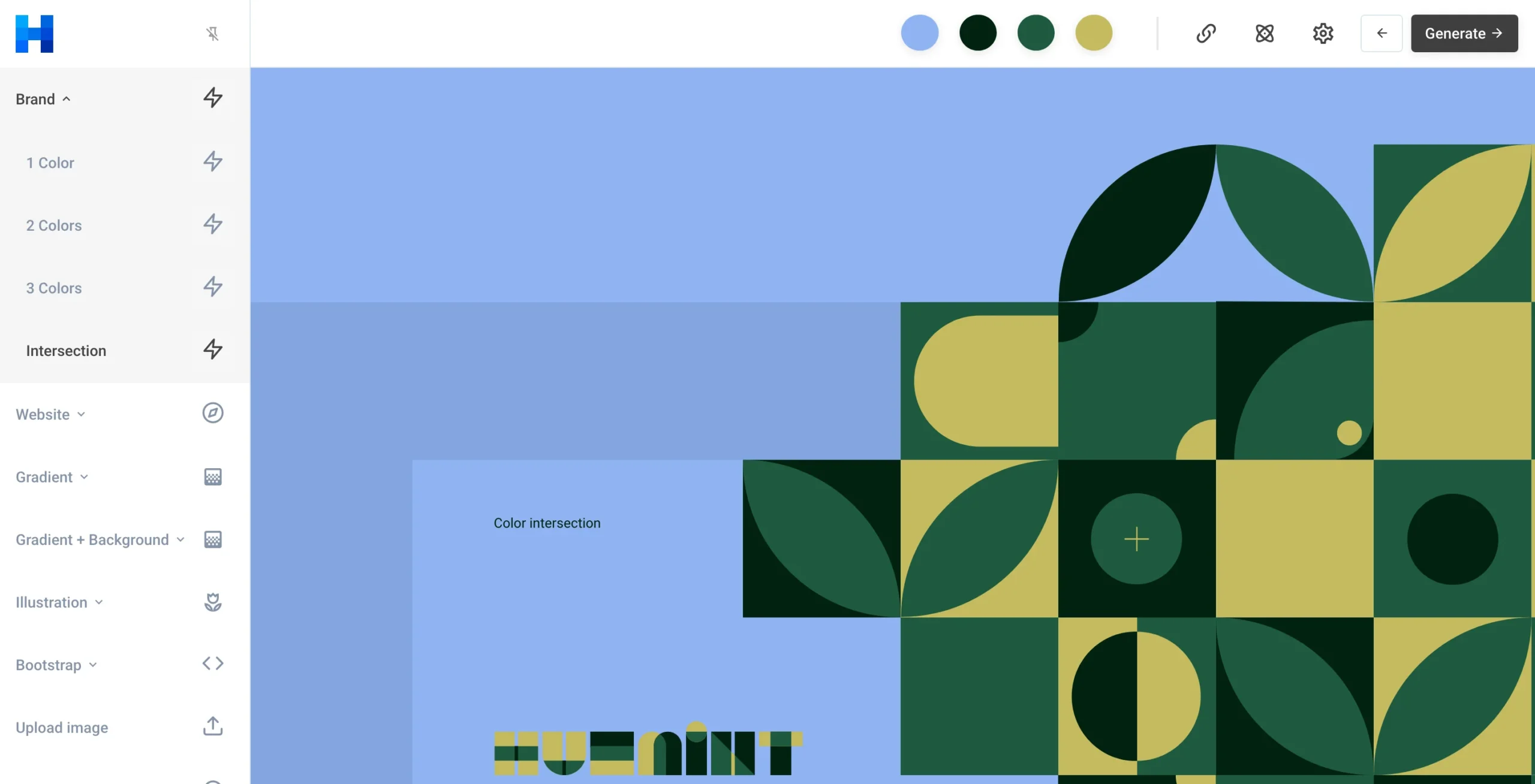
Huemint is an AI-powered color palette generator.
It can help you explore color combinations and understand how different palettes might work within a visual design.
Best for: Website color palettes and early brand-color exploration.
19. Phosphor Icons
Phosphor provides a flexible collection of icons with a consistent visual style.
Using icons from a single family can help avoid the mismatch that occurs when different icon sets are mixed together.
Best for: Website navigation, feature sections, dashboards and interface icons.
20. CSS Pattern
CSS Pattern provides decorative patterns created with CSS.
These can be useful when a section needs a subtle background treatment without adding a large image file.
Best for: Lightweight backgrounds and decorative website sections.
Transparent Textures offers subtle repeating background textures.
A carefully selected texture can give an otherwise plain section more character, particularly when working with simple color palettes.
Best for: Background textures and understated visual details.
24 Free and Freemium Web Design Tools
Finding a good design reference is only the beginning.
Once you have a visual direction, you still need to plan the layout, select suitable typography, prepare graphics and implement the design.
The following tools can help with different stages of that process.
Tools for planning and design practice
1. Sharpen
Sharpen generates design challenges that help you practise solving creative problems.
It is particularly useful for designers who want to build their portfolio or experiment with unfamiliar projects.
2. Good Brief
Good Brief generates fictional project requirements for different industries and design categories.
You can use it to practise creating a website around a realistic business requirement instead of designing without a defined purpose.
3. Daily UI
Daily UI provides design challenges focused on individual interface elements and screens.
It is useful for improving UI design skills through regular practice.
4. Prompt Cafe
Prompt Cafe helps generate app-building ideas and prompts based on different combinations of projects, styles and technologies.
It can be useful when experimenting with concepts for new digital products.
5. PromptDen
PromptDen is a community for discovering and sharing AI prompts.
Designers can explore ideas for visual content, creative concepts and other AI-assisted tasks. Results still require review and refinement.
6. Figma
Figma is one of the widely used tools for website and interface design.
Its free starter offering can support basic layout creation, wireframing and prototyping, while more advanced collaboration and development features may require paid plans.
Best for: Planning complete website layouts and preparing designs before development.
Tools for backgrounds and visual effects
Mesh Gradient helps create colorful gradient backgrounds that can be used in banners, hero sections and supporting graphics.
It can provide an alternative to plain backgrounds when a website needs a little more visual interest.
CSS Generator provides tools for creating common visual effects using CSS.
It is useful when you need to experiment with shadows, gradients and other styling properties without writing everything manually.
9. SVG Wave
SVG Wave generates customizable wave-shaped graphics.
These can be used as section dividers or decorative elements on landing pages.
10. Noise & Gradient
Noise & Gradient creates textured gradient backgrounds.
The combination of color and grain can be useful for creative banners and supporting visuals. The site offers free output alongside paid high-resolution options.
11. CSS3 Generator
CSS3 Generator helps create CSS properties through a visual interface.
It is useful for quickly testing visual styles and understanding the corresponding CSS code.
Tools for CSS and frontend development
12. Modern CSS
Modern CSS provides snippets, examples and references for contemporary CSS techniques.
Developers can use it to explore practical ways of implementing layouts and interface elements.
13. ModernCSS.dev
ModernCSS.dev contains tutorials covering modern CSS solutions to familiar design problems.
It is useful when you want to understand why a particular approach works rather than simply copying a code snippet.
14. Every Layout
Every Layout explores reusable CSS layout patterns.
It focuses on building adaptable interfaces using fundamental layout principles, making it valuable for responsive website development.
15. Ahmad Shadeed
Ahmad Shadeed publishes detailed articles about CSS, responsive design and frontend interface problems.
His practical examples can help developers understand more complicated layouts and browser behavior.
16. HTML CSS JS
HTML CSS JS offers online utilities for editing, formatting and working with web code.
It is useful for small frontend tasks and quick experiments.
17. Transform
Transform provides converters for different types of code and data.
It can help developers move between formats when working with frontend assets and application code.
Tools for animation and interface components
18. Animata
Animata provides animated interface examples and components.
It is useful when you want to add controlled movement to a website without creating every interaction from scratch.
19. React Bits
React Bits offers animated React components and effects.
Developers working with React can explore its components and adapt them to their projects.
Animations should always support the user experience rather than compete with the website’s content.
Tools for accessibility and presentation
20. Contrast Ratio
Contrast Ratio helps test the contrast between text and background colors.
It is useful when checking whether a chosen website palette provides sufficient readability.
Accessible Colors helps evaluate color combinations for accessibility.
It can be used alongside contrast-testing tools when choosing text, background and interface colors.
22. BrowserFrame
BrowserFrame helps present website screenshots inside browser-style frames.
This can be useful for portfolios, client presentations and website project showcases.
Tools for choosing website fonts
23. Uncut
Uncut offers a collection of typefaces to explore.
It is worth checking when you want a font that gives your design a different personality from typical business website typography.
Check each font’s license and permitted usage before downloading.
24. The League of Moveable Type
The League of Moveable Type is an established source of open-source typography.
Its font collection can help designers find interesting typefaces for websites, branding and editorial projects.
How to Use These Resources to Design a Better Website
Having access to 45 resources does not mean you need to use all of them.
In fact, opening too many design galleries and tools can make the process more confusing.
A better approach is to work through your website one decision at a time.
Step 1: Understand the website’s purpose
Start with the people who will use the website.
Are they looking for a service provider, comparing products, booking an appointment or exploring a company portfolio?
The answer should influence the layout.
For example, a law firm’s website may need clear service information, professional typography and straightforward navigation. A creative studio may have more room to experiment with visual storytelling.
A design should suit the business, not just look attractive in a screenshot.
Step 2: Collect a small number of references
Choose three to five websites that reflect the kind of experience you want to create.
For each reference, examine specific elements:
- How is the main heading presented?
- Where are the primary buttons placed?
- How are services or products organized?
- What makes the navigation easy or difficult?
- How does the layout change on mobile devices?
Rather than copying a complete design, identify the principles that make it effective.
Step 3: Create the basic structure first
Before working with colors, backgrounds or animation, prepare the content structure.
For a typical business website, this might include a hero section, service overview, company introduction, client references, project examples, frequently asked questions and contact information.
However, the order and importance of these sections should reflect the business’s actual needs.
This is where wireframing can save considerable time.
At Webtech Nepal, our web design and UI/UX services cover layout planning, interface design and the practical decisions needed before development.
Step 4: Establish the design’s typography and colors
Choose a limited number of font styles and establish a consistent hierarchy for headings, paragraphs and buttons.
Use tools such as Huemint to explore color combinations and Fluid Type Scale to plan responsive text sizes.
Keep accessibility in mind. For example, WCAG’s commonly used AA contrast criterion requires a minimum contrast ratio of 4.5:1 for normal text and 3:1 for large text.
Good colors should remain readable, not just look attractive on a design board.
Step 5: Build reusable interface elements
Create consistent styles for buttons, navigation, cards, forms and other repeated elements.
A website looks more organized when the same types of elements behave and appear consistently across different pages.
For websites and applications with many screens, a design system and component library can help designers and developers maintain those standards.
Step 6: Add visual details carefully
Once the main layout works, consider whether small visual effects would improve the presentation.
A subtle gradient might help separate the hero section from the rest of the page. A hover effect might make an interactive card easier to recognize.
But every decorative element should have a reason to exist.
If removing an animation makes the page easier to use, it may not be necessary.
Step 7: Test the finished website
Before launching, review the website on different screen sizes and browsers.
Check whether text is readable, buttons are easy to select, forms work correctly and important content remains visible on mobile devices.
It is also worth reviewing image optimization, loading performance, keyboard navigation and accessible labels.
A website that looks impressive but performs poorly can still create a frustrating experience.
Practical Example: Improving a Small Business Website
Imagine a consulting company with an existing website.
The site includes useful information, but the homepage feels crowded. There are multiple font styles, inconsistent buttons and very little spacing between sections.
The company does not necessarily need an entirely new website.
A practical improvement process could look like this:
First, review the page structure. Identify which information visitors need immediately. Make the company’s main services and contact options easier to find.
Next, simplify the typography. Choose consistent headings and body text styles so the content is easier to scan.
Then, update the visual appearance. Use a limited color palette, consistent button styles and suitable imagery.
Finally, improve the mobile experience. Review the navigation, content spacing, forms and image sizes on smaller screens.
Resources such as Siiimple, Huemint, Modern Font Stacks and Contrast Ratio could help support this process.
Notice that none of these improvements depends on adding complicated animation or using expensive design software.
The goal is to make the existing information easier to understand and more pleasant to use.
For businesses whose websites need more extensive work, professional website redesign services can help address design, navigation, performance and content issues together.
Common Website Design Mistakes to Avoid
Access to good design resources is helpful, but the way they are used matters just as much.
Copying an attractive website without understanding its purpose
A design created for a fashion brand may not work for an accounting firm.
Different businesses have different audiences, content requirements and expectations.
Use references to understand good design decisions, then adapt those ideas to your own needs.
Using too many fonts and colors
Too much visual variety can make a website feel inconsistent.
Choose a manageable typography system and a limited palette before creating individual sections.
Adding animation everywhere
Animation can help explain interactions or provide feedback.
However, excessive movement can distract visitors, affect performance and create accessibility problems.
Keep motion subtle, purposeful and respectful of reduced-motion preferences.
Ignoring mobile users
Do not assume that a desktop layout will automatically work well on a smaller screen.
Test mobile navigation, text sizes, image cropping, forms and important buttons throughout development.
Forgetting accessibility
Designing for accessibility includes more than choosing readable colors.
Keyboard access, visible focus indicators, meaningful labels, clear errors and suitable content structure are all important considerations.
Choosing appearance over performance
Large background videos, unoptimized images and unnecessary scripts can slow down a website.
Use visual effects carefully and measure the finished website’s performance instead of judging only its appearance.
Using resources without checking licenses
A website being free to browse does not mean every image, font, icon or design can be used commercially.
Review the applicable licenses and terms before adding downloaded assets to a client or business website.
Do Free Web Design Tools Replace Professional Website Designers?
Free tools can make website design more accessible, but they do not automatically solve every design problem.
A color palette generator can suggest attractive colors. It cannot determine whether those colors communicate the right message for your business.
A website gallery can provide hundreds of examples. It cannot decide which layout will make your services easiest for customers to understand.
Similarly, a CSS animation library can provide ready-made effects, but it cannot determine whether those effects belong on your website.
Professional website design involves understanding the business, planning the content, organizing the user experience and making sure the finished product works properly.
Tools support those decisions. They do not replace the need to make them.
For smaller personal projects, learning from these resources may be enough to produce a useful website.
Businesses with more specific requirements may benefit from working with designers and developers who can bring the different parts together.
Frequently Asked Questions
What are the best free resources for website design inspiration?
Recent Design, Siiimple, CSS Design Awards, The Component Gallery and Web Design Museum are useful starting points. Each offers a different perspective, from complete websites to reusable interface elements and historical design examples.
Which free tools are useful for beginner web designers?
Figma, Good Brief, Huemint, Modern Font Stacks and CSS Generator are useful for beginners. They can help with basic layouts, design practice, color selection, typography and styling. Some offer paid features beyond their free options.
Can I design a professional website using only free tools?
Yes, it is possible to create a professional website using free design and development tools. The quality of the result depends on the design decisions, content, technical implementation and testing, not simply the price of the software.
What is the difference between UI design and UX design?
UI design focuses on the interface elements people see and interact with, such as buttons, menus, typography and layouts. UX design considers the broader experience, including how visitors navigate, find information and complete tasks.
Both are important when creating a website that looks good and is easy to use.
How do I make my website look more professional?
Start with a clear content structure, consistent typography, suitable colors and enough space between sections. Use high-quality, appropriately licensed images, keep navigation simple and test the website on mobile devices.
Small improvements made consistently can have a greater effect than adding unnecessary visual effects.
Can I copy a website design that I find online?
You can study design references and learn from common patterns, such as navigation structures and content hierarchy. However, directly copying another website’s original artwork, branding, text or distinctive creative elements can create copyright or other legal issues.
Use inspiration to develop a design appropriate for your own brand.
Final Thoughts
Creating a professional website is not about collecting as many design tools as possible.
It is about knowing which resources can help you solve a particular problem.
If your page feels disorganized, look at layout examples. If the typography feels inconsistent, explore font systems. If visitors struggle to use your website on mobile devices, review the responsive layout before adding more visual effects.
The 45 resources covered in this article provide useful starting points for learning, experimentation and practical website development.
You do not need to use all of them. Choose the ones that fit your project and spend more time understanding the design than collecting references.
A professional website should ultimately make your business easier to understand, your information easier to access and your services easier to explore.
Need Help Designing or Improving Your Website?
Webtech Nepal provides professional website design services in Nepal for businesses, startups and organizations.
From planning layouts and designing user interfaces to developing responsive websites, our team helps businesses create websites that reflect their brand and meet their practical requirements.
Whether you are planning your first website or improving an existing one, we can help you identify what needs to be designed, developed or updated.