Building a website is an important step for any business. But before choosing a design, domain name, or hosting plan, you need to answer one basic question: Which website platform is right for your business?
The right website platform can make your site easier to manage, faster to improve, and ready to grow. The wrong choice can lead to higher costs, limited features, poor performance, or a difficult website migration later.
There is no single platform that is best for every business. A local service company, online store, school, hotel, nonprofit organization, and large company can all have different needs.
In this guide, we will compare popular website platforms and explain what you should consider before choosing one.
Building the Foundation for Online Success
Your website platform is the foundation of your website.
It affects how your website is built, how content is managed, how new features are added, and how the website can grow in the future.
For example:
- A small business may only need a simple company website.
- An online store may need product, payment, inventory, and order features.
- A growing company may need integrations with other software.
- A large organization may need custom tools and user accounts.
- A startup may need a custom web application rather than a normal website.
Choosing the platform based only on its popularity is not enough.
Instead, start with your business goals.
What Is a Website Platform?
A website platform is the technology used to build, manage, and run a website.
It usually provides tools for creating pages, managing content, adding features, and publishing information online.
Some platforms are designed for easy website creation. Others provide more control for developers.
Common types include:
- Content management systems such as WordPress
- Website builders such as Wix
- Ecommerce platforms such as Shopify
- Ecommerce systems such as WooCommerce
- Visual development platforms such as Webflow
- Custom-built websites
- Custom web applications
WordPress, for example, is an open-source content management system that can be extended with themes and plugins. WordPress.org says the platform can be used for everything from simple websites and blogs to complex portals and enterprise websites.
Common Website Platforms Compared
Here is a simple comparison of popular options.
| Platform | Best For | Flexibility | Technical Skill |
|---|---|---|---|
| WordPress | Business websites, blogs, service websites | High | Low to Medium |
| WooCommerce | Online stores | High | Medium |
| Shopify | Ecommerce businesses | Medium to High | Low to Medium |
| Wix | Simple business websites | Medium | Low |
| Webflow | Design-focused websites | High | Low to Medium |
| Custom Website | Unique business requirements | Very High | High |
| Custom Web Application | Complex online systems | Very High | High |
These platforms solve different problems. Your business requirements should decide which option you use.
WordPress
WordPress is one of the most flexible choices for business websites.
It can be used for:
- Company websites
- Blogs
- Service websites
- Portfolio websites
- Hotel websites
- Education websites
- NGO websites
- News websites
- Membership websites
- Ecommerce websites
WordPress is open source and has a large plugin ecosystem. This makes it possible to add many features without developing everything from scratch.
WooCommerce
WooCommerce is an open-source ecommerce platform built for WordPress. It can be used to sell physical and digital products and supports product variations, downloads, and other store features.
WooCommerce is a good option when you want a WordPress website and an online store in the same system.
Shopify
Shopify is a hosted ecommerce platform designed specifically for selling online and in person. It provides store management, themes, products, sales channels, and other ecommerce tools in one platform.
It can be useful for businesses that want a managed ecommerce solution without managing the technical side of hosting.
However, businesses should also consider subscription costs, payment options, transaction fees, integrations, and regional requirements before choosing it.
Wix
Wix is a website builder focused on visual website creation. It offers templates, drag-and-drop editing, hosting, ecommerce features, SEO tools, and third-party integrations.
It can work well for individuals and small businesses that want to create and manage a website with limited technical knowledge.
Webflow
Webflow combines visual website design with a CMS and development features.
Its CMS can manage structured content such as blogs, team directories, resource libraries, and other dynamic content.
It can be a good choice for businesses that place a strong focus on visual design and want more design control than some traditional website builders provide.
What Should You Consider Before Choosing a Website Platform?
Do not choose a platform simply because another business is using it.
Look at your own requirements first.
1. Type of Website
Start by asking what you actually need.
Is it:
- A company website?
- An online store?
- A blog?
- A booking website?
- A membership website?
- A marketplace?
- A customer portal?
- A web application?
A simple business website and a complex booking system should not be treated as the same project.
2. Budget
Your budget includes more than the initial development cost.
Consider:
- Website development
- Domain name
- Hosting
- Premium themes
- Plugins
- Security
- Maintenance
- Website updates
- Payment gateway costs
- Developer support
- Future improvements
A platform that appears cheap at the beginning may become expensive if you need many paid add-ons later.
3. Ease of Management
Think about who will manage the website after launch.
Will your staff need to:
- Add blog posts?
- Change images?
- Update services?
- Add products?
- Edit contact information?
- Create landing pages?
If your team needs to make regular updates, choose a platform that is easy for them to use.
4. Customization
Some websites need only standard features.
Others need something very specific.
For example, a travel company may need a custom booking system. A school may need student login features. A recruitment agency may need job listings and candidate applications.
The more unique your requirements are, the more important customization becomes.
5. SEO
Your platform should allow you to manage basic SEO elements such as:
- Page titles
- Meta descriptions
- URLs
- Headings
- Image alt text
- XML sitemaps
- Canonical URLs
- Structured data where appropriate
- Page speed
- Mobile performance
Remember that a platform alone does not make a website rank well.
Good content, technical SEO, useful information, links, website performance, and ongoing optimization all matter.
6. Mobile Responsiveness
A large share of website visitors use smartphones.
Your website should work properly on:
- Mobile phones
- Tablets
- Laptops
- Desktop computers
Do not choose a platform based only on how the desktop version looks.
7. Security
Security should be part of the platform decision.
Consider:
- Software updates
- Plugin or extension security
- SSL
- User permissions
- Backups
- Malware protection
- Secure hosting
- Developer access
A website that is not maintained can become a security risk regardless of the platform.
8. Integrations
Your website may need to connect with other services.
For example:
- Google Analytics
- Email marketing tools
- CRM systems
- Payment gateways
- Social media
- Accounting software
- Booking systems
- Maps
- Inventory systems
Check whether the platform supports the integrations you actually need.
9. Scalability
Think about where your business could be in three to five years.
You may start with 10 pages but later need:
- More services
- More locations
- Hundreds of products
- Multiple languages
- Customer accounts
- Online payments
- Advanced reporting
Choose a platform that can support reasonable future growth.
Our Recommendation: WordPress for Webtech Nepal
For most small and medium-sized businesses in Nepal, we recommend WordPress as a practical website platform. It gives businesses the flexibility to create a professional website, manage content easily, and add new features as they grow. You can learn more about our WordPress technology and how we use it for business websites.
At Webtech Nepal, we build WordPress websites for a wide range of businesses, including service companies, hotels, restaurants, education consultancies, NGOs, travel agencies, and other local businesses. Our WordPress development team in Nepal can handle everything from website design and development to customization, security, performance, and ongoing maintenance.
WordPress also gives business owners more control over their websites. You can update your services, publish blog posts, add new pages, and make changes without rebuilding the entire website. It also provides a strong foundation for SEO when the website is properly developed and maintained.
We also understand that WordPress is not the right choice for every project. If your business needs an online store, complex integrations, or unique business features, we may recommend WooCommerce, custom website development, or a custom web application instead.
Our approach is simple: choose the website platform that fits your business needs, budget, and future plans. For many businesses in Nepal, WordPress provides the right balance of flexibility, ease of management, and room for growth.
When WordPress is the Right Choice
WordPress is often a good fit when you need a professional business website that your team can update.
It can make sense for:
- Small businesses
- Corporate websites
- Service companies
- Hotels
- Restaurants
- Education consultancies
- NGOs and INGOs
- Travel and trekking companies
- Recruitment agencies
- Professional firms
- Personal brands
- Blogs and content websites
For example, a Kathmandu-based consulting company may need pages for its services, team, company information, blog, contact form, Google Maps, and lead generation.
WordPress can handle this type of website without requiring a completely custom system.
When WooCommerce is the Right Choice
WooCommerce makes sense when your website needs ecommerce features.
It can be suitable for:
- Clothing stores
- Electronics stores
- Grocery businesses
- Furniture stores
- Bookstores
- Local product sellers
- B2B product catalogs
- Digital products
WooCommerce works inside WordPress, allowing businesses to combine content marketing and ecommerce.
For example, a Nepali clothing brand could have:
Website → Blog → Products → Cart → Checkout → Customer Account
This makes WordPress and WooCommerce a useful combination for businesses that want both content and commerce.
When a Custom Website is the Right Choice
A custom website can make sense when standard themes, plugins, and website builders cannot meet your requirements.
For example, you may need:
- A unique user interface
- Special business workflows
- Custom calculations
- Complex integrations
- Special reporting
- Unique dashboards
- Large amounts of structured data
- Specific performance requirements
Custom development gives developers more control over how the website is built.
But more control also means more development work.
A custom website should have a clear reason behind it. Building something custom simply because it sounds more advanced can increase the budget without providing a real business benefit.
When a Custom Web Application Is Better
Sometimes what you need is not really a website.
It is a web application.
A normal website mainly provides information.
A web application allows users to perform tasks.
Examples include:
- Online booking systems
- Job portals
- Customer dashboards
- Learning management systems
- Property management systems
- Inventory systems
- CRM platforms
- Appointment systems
- Online marketplaces
- Internal business software
For example, a recruitment agency may need a website to explain its services. But if it also needs candidate registration, document uploads, employer accounts, job management, and application tracking, a custom web application may be more appropriate.
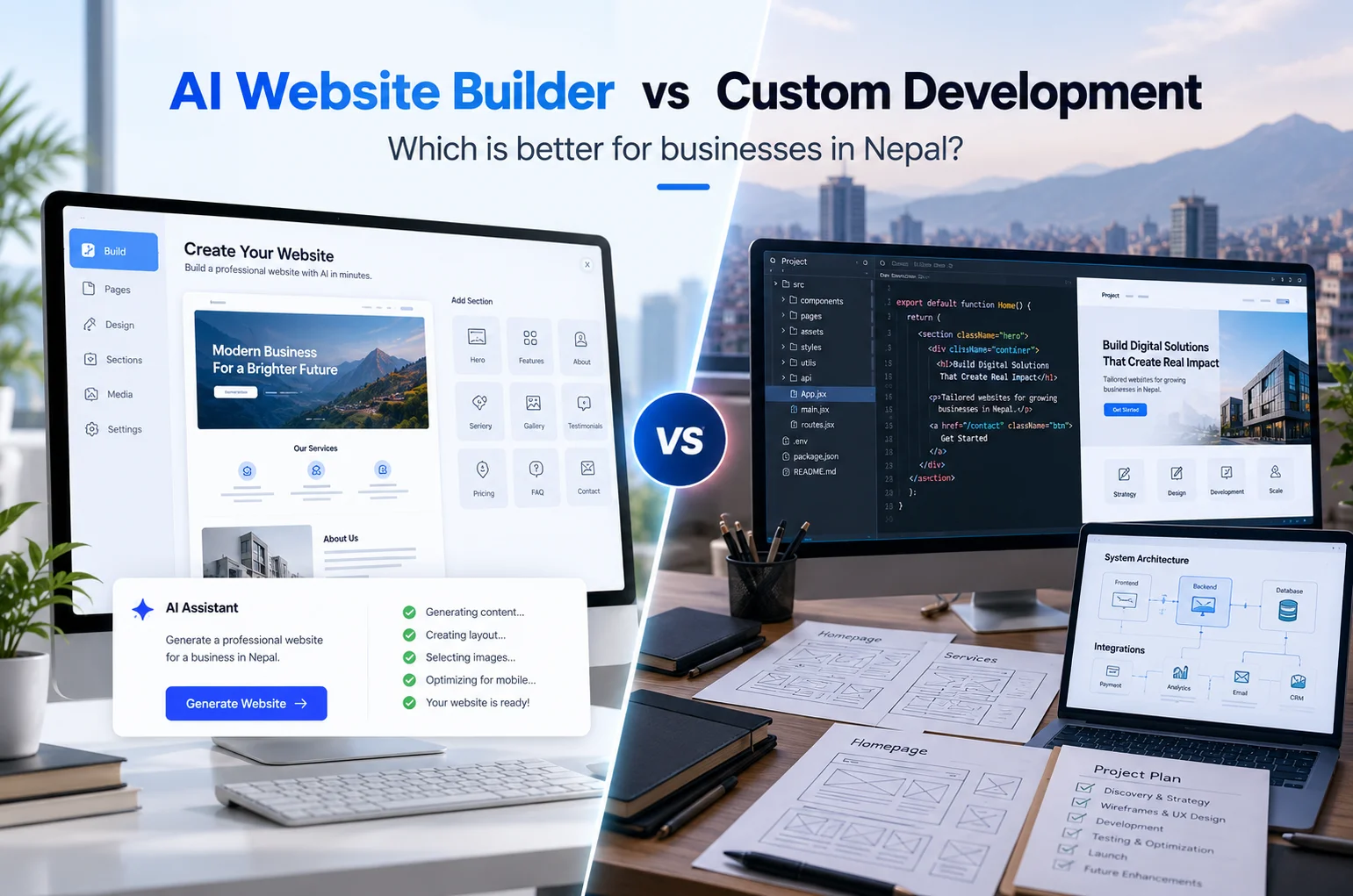
WordPress vs Custom Development
The right choice depends on your requirements.
| Factor | WordPress | Custom Development |
|---|---|---|
| Initial development | Usually lower | Usually higher |
| Flexibility | High | Very high |
| Content management | Easy | Depends on development |
| Custom features | Possible | Excellent |
| Development time | Usually faster | Usually longer |
| Maintenance | Regular updates needed | Developer support usually needed |
| Plugins/extensions | Large ecosystem | Custom-built |
| Best for | Most business websites | Unique or complex systems |
The important point is that custom development is not automatically better.
If WordPress can solve the business problem well, a custom build may not be necessary.
If the project has unique technical requirements, forcing it into WordPress can create problems later.
What Should a Small Business in Nepal Choose?
For many small businesses in Nepal, WordPress is a practical starting point.
A typical small business website may need:
- Home page
- About page
- Services
- Portfolio or projects
- Blog
- Testimonials
- Contact form
- Location map
- Social media links
- Basic SEO
- Mobile-friendly design
WordPress can handle these requirements without building a website system from scratch.
The focus should then move to good design, useful content, speed, security, local SEO, and easy management.
For a small business in Kathmandu or another part of Nepal, it is also useful to make sure the website clearly shows contact information, location, services, business hours, and other information local customers may need.
What Should a Growing Business Choose?
A growing business should think beyond the first version of its website.
Ask:
- Will we add new services?
- Will we sell products online?
- Will we need multiple locations?
- Will we need customer accounts?
- Will we connect the website to a CRM?
- Will we need multiple languages?
- Will our team need different user permissions?
- Will we need a custom dashboard?
If the answer is yes to several of these questions, platform selection becomes more important.
WordPress may still be enough. WooCommerce may be suitable for ecommerce. A custom system may make more sense when the business has complex workflows.
The goal is not to choose the most powerful technology.
The goal is to choose technology that fits the business.
Common Mistakes When Choosing a Website Platform
Choosing Based Only on Price
The cheapest option is not always the cheapest over time.
Look at the total cost of ownership, including hosting, maintenance, extensions, development, and future changes.
Choosing Based on Popularity
A platform can be popular and still be wrong for your project.
Your business requirements should come first.
Ignoring Future Growth
Do not build a website that only works for today’s needs if you already know your business will expand.
Adding Too Many Plugins
WordPress plugins can add useful features, but installing unnecessary plugins can make maintenance harder.
Use trusted, well-maintained plugins and keep them updated.
Focusing Only on Design
A beautiful website is not enough.
Your website should also be:
- Fast
- Mobile-friendly
- Easy to use
- Search-friendly
- Secure
- Easy to manage
Forgetting About Ownership
Before starting a project, clarify who owns:
- Domain name
- Hosting account
- Website files
- Website database
- Content
- Premium licenses
- Customer data
This is especially important when working with an external developer or agency.
Not Planning for Maintenance
Every website needs some level of maintenance.
Software updates, security checks, backups, content changes, and technical improvements should be part of your long-term plan.
Questions to Ask Your Web Developer
Before approving a website platform, ask your developer these questions:
- Why do you recommend this platform for my business?
- Can I update the website myself?
- What happens if I need a new feature later?
- What will the ongoing maintenance cost?
- Who owns the domain and hosting?
- Will I receive administrator access?
- What happens if I stop working with your company?
- How will the website be backed up?
- How will security updates be handled?
- Is the website optimized for mobile devices?
- Can the platform support my SEO requirements?
- Can the website connect with the tools I already use?
- Can the platform handle my expected growth?
- What parts of the website are custom-built?
- What are the expected costs beyond the initial development?
A good developer should be able to explain the technical choice in simple business terms.
A Simple Website Platform Decision Guide
You can use this quick guide before starting your project.
Choose WordPress if:
- You need a flexible business website.
- You want to manage content yourself.
- You need strong customization options.
- You plan to publish regular content.
- You may add features later.
Choose WooCommerce if:
- You need an online store.
- You want ecommerce inside WordPress.
- You need control over products and store content.
- You need a flexible product catalog.
Consider Shopify if:
- Ecommerce is the main purpose of the website.
- You prefer a managed platform.
- You want built-in ecommerce tools and a hosted environment.
Consider Wix if:
- You need a relatively simple website.
- You prefer visual drag-and-drop editing.
- Your website does not require highly specialized functionality.
Consider Webflow if:
- Visual design is a major priority.
- You need a visual CMS.
- Your team wants structured content management with strong design control.
Choose custom development if:
- Your business has unique workflows.
- You need complex integrations.
- You are building a system rather than a normal marketing website.
Frequently Asked Questions
What is the best website platform for a small business?
There is no universal best platform. For many small business websites, WordPress offers a useful combination of flexibility, content management, and customization.
Is WordPress good for business websites?
Yes. WordPress can be used for business websites ranging from simple company sites to more complex websites and portals. Its open-source nature and large plugin ecosystem allow it to be extended as business needs change. (WordPress)
Is WordPress better than Shopify?
They are designed for somewhat different needs. WordPress with WooCommerce provides a flexible WordPress-based ecommerce setup, while Shopify provides a hosted ecommerce platform with store management tools. Your choice should depend on your store requirements, budget, integrations, and preferred level of technical control.
Should I choose WordPress or a custom website?
Choose WordPress when it can meet your requirements without unnecessary complexity. Consider custom development when you have unique workflows, integrations, or application features that need more control.
Is a website builder good for a small business?
It can be. Website builders such as Wix can be useful for businesses that need a relatively simple website and want visual editing without much technical work.
Can I change my website platform later?
Yes, but moving platforms can take time and may involve rebuilding pages, migrating content, redirecting URLs, moving data, and testing the new website. Choosing carefully at the beginning can reduce this work.
How much does a website platform cost in Nepal?
The total cost depends on the platform, website size, design, functionality, hosting, integrations, maintenance, and development work. A simple business website and a custom web application can have very different budgets.
Does the website platform affect SEO?
Yes, indirectly and technically. A platform can affect how easily you manage SEO settings, page speed, mobile performance, structured content, URLs, redirects, and other technical elements. But rankings depend on many factors beyond the platform itself.
What website platform does Webtech Nepal recommend?
For many standard business websites, Webtech Nepal recommends WordPress because it offers a practical balance of flexibility, usability, and customization. However, the final platform should be selected after reviewing the project’s actual requirements.
Conclusion
Choosing the right website platform for your business is not about picking the most popular or most advanced technology.
It is about finding the right fit for your goals, budget, content, customers, and future plans.
For many businesses, WordPress provides a strong foundation. WooCommerce can extend WordPress into an online store. Shopify and other hosted platforms can make sense for specific ecommerce needs. And when your requirements become highly specialized, custom website development or a web application may be the better route.
Before starting your next website project, decide what the site needs to do, not just how you want it to look.
If you are planning a new website design in Nepal and are unsure which platform fits your business, Webtech Nepal can help you review your requirements and choose a practical approach for your project.