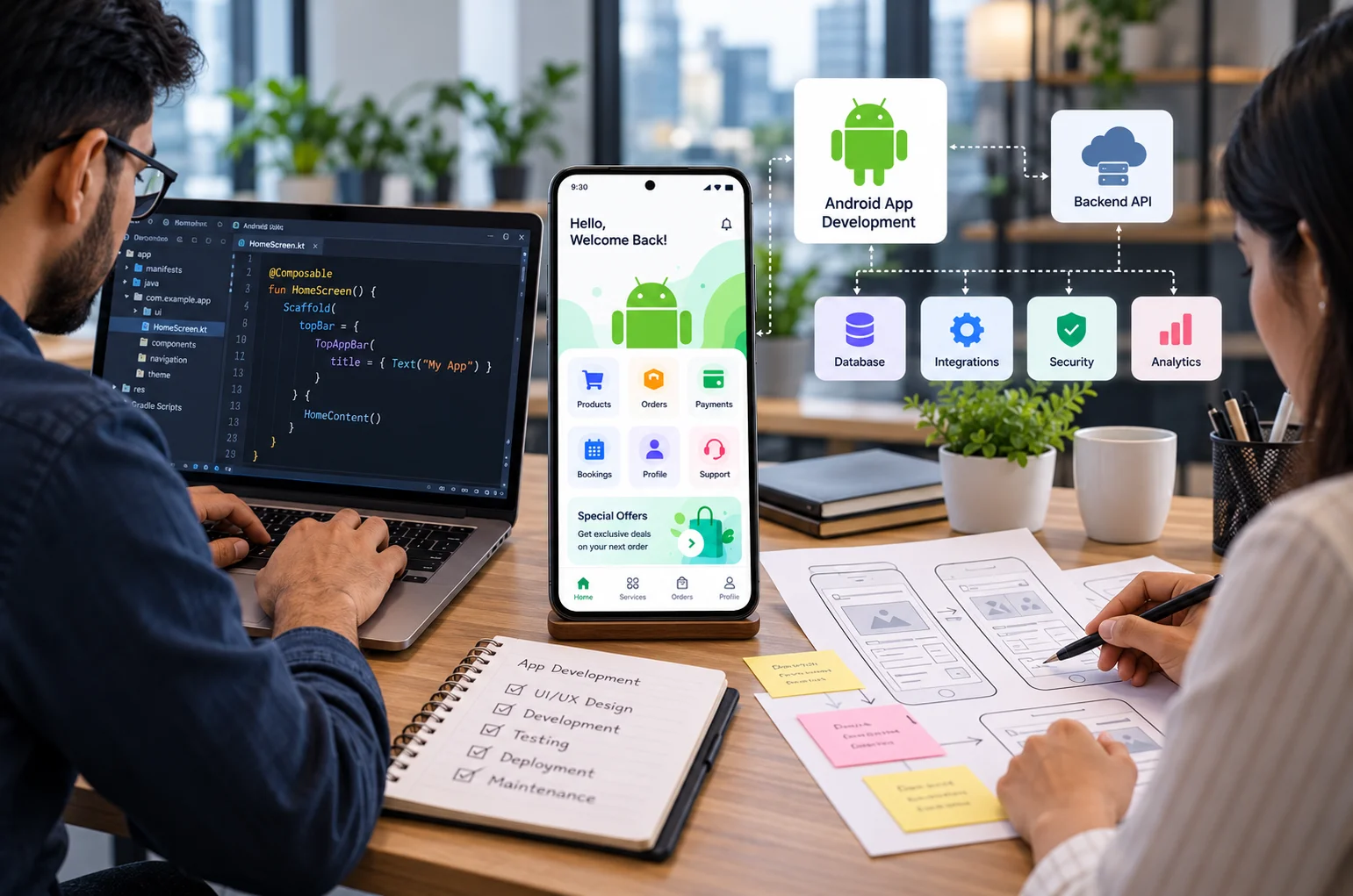
If your business needs a custom mobile application, choosing the right development partner is an important decision. Webtech Nepal offers Android app development services for businesses looking to build reliable applications that connect with their existing systems and support future growth.
A good development team does more than turn your feature list into screens. They should understand your customers, business processes, security requirements, integrations, future plans, and the reason the app needs to exist in the first place.
This matters even more for custom business applications. An app may need to connect with your website, inventory system, payment gateway, CRM, ERP, booking system, delivery platform, or internal database.
If you are comparing Android app development services in Nepal, this guide explains what to look for, what questions to ask, and when a custom Android app is the right investment.
What Is Custom Android App Development?
Custom Android app development means creating an Android application specifically around the requirements of a business instead of adapting a ready made application.
A custom app can be designed around your workflows, customers, services, branding, integrations, security requirements, and future plans.
For example, a business might need an Android app for:
- Online ordering
- Appointment booking
- Customer accounts
- Delivery tracking
- Field staff management
- Sales reporting
- Inventory management
- School or college communication
- Membership management
- Loyalty programs
- Mobile payments
- Internal approvals
- Customer support
The important word is custom.
You are not simply buying an app. You are building software around a specific business problem.
That is why the development company should first understand what you are trying to achieve before recommending features or technologies.
Does Your Business Really Need an Android App?
Not every business needs a mobile app.
Sometimes a fast, mobile friendly website or Progressive Web App can provide everything customers need at a lower cost and with less maintenance.
An Android app becomes more useful when people need to interact with your business regularly or when you need functionality that works better through a mobile application.
You should consider an Android app when:
- Customers return frequently to place orders or use your services
- Users need personal accounts or saved information
- Employees need access to business systems while travelling
- Your service requires push notifications
- Users need offline access
- You need camera, GPS, biometrics, Bluetooth, or other device features
- Your business handles bookings or regular transactions
- You need real time tracking
- Customers expect an app as part of the service
- Your existing website cannot provide a practical user experience
For example, a restaurant that mainly needs customers to view its menu and contact the business may not need an app.
A food delivery company handling customer accounts, live orders, delivery tracking, payments, notifications, and driver locations has a much stronger reason to build one.
The first question should therefore be:
What will an Android app allow customers or employees to do that they cannot already do efficiently?
If there is no strong answer, spending money on app development may not be the best decision.
Why Android Matters for Businesses in Nepal
Android is especially important when your audience uses a wide range of smartphones.
Businesses in Nepal often need applications that work reliably not only on expensive flagship devices but also on affordable and mid range Android phones.
That affects development decisions.
Your app needs to account for different:
- Screen sizes
- Android versions
- Device capabilities
- Memory limits
- Network speeds
- Battery performance
- Storage capacities
An app that works perfectly on one high end test device may perform poorly for real customers using different hardware.
This is why Android development should include testing across multiple devices and realistic connection conditions.
For businesses serving users outside major urban areas, network reliability should also influence app design. Important features may need caching, retry mechanisms, efficient data transfer, or limited offline functionality.
Native Android or Cross Platform Development?
For businesses that need strong Android performance and deeper integration with device features, native Android app development may be the right choice. However, if your business needs applications for both Android and iOS, cross platform app development can offer a more practical approach with a shared codebase.
Native Android Development
A native Android application is built specifically for Android.
Modern native Android development commonly uses Kotlin and Jetpack Compose. Google currently recommends Jetpack Compose for new Android user interfaces.
Native development is often suitable when an application needs:
- High performance
- Deep Android integration
- Camera or sensor access
- Complex background processing
- Bluetooth communication
- Advanced notifications
- Strong offline capabilities
- Highly customized interfaces
- Android specific functionality
The disadvantage is that a separate iOS application normally requires its own development work.
Cross Platform Development
Frameworks such as Flutter and React Native allow developers to build Android and iOS applications while sharing much of the same code.
This can make sense when you want to launch on both platforms and most features are similar.
Cross platform development may reduce development and maintenance effort, particularly for startups or businesses with limited budgets.
However, a capable development company should recommend the approach based on the project rather than automatically selling whichever technology it normally uses.
Where Can You Find Android App Development Services?
Businesses generally have four options.
Android App Development Company
A dedicated app development company can provide design, development, backend engineering, testing, deployment, and maintenance through one team.
This works particularly well for business applications that require multiple technologies.
For example, your Android application may also need:
- An admin dashboard
- Backend APIs
- Cloud infrastructure
- Customer database
- Payment integrations
- Analytics
- Website integration
- CRM or ERP integration
Having one team responsible for these connected systems can reduce coordination problems.
Freelance Android Developer
A freelancer can work well for prototypes, smaller applications, individual features, or projects where your company already manages product strategy and design internally.
Costs can also be lower.
However, you should clarify what happens if that person becomes unavailable.
Ask who will maintain the app, server, source code, accounts, and integrations after launch.
For a business critical system, depending entirely on one individual can create unnecessary risk.
In House Development Team
An internal development team gives you direct control over priorities, product changes, and ongoing improvements.
This model makes sense when your mobile product will require continuous development.
The challenge is maintaining all the skills involved.
A serious application may require Android development, backend engineering, UI design, database management, infrastructure, testing, security, and product management.
Hiring and retaining all these capabilities internally can be expensive.
Full Service Digital and Software Agency
A broader software company can be useful when your Android application is part of a larger digital ecosystem.
For example, you may need an Android app connected with your website, ecommerce platform, business software, customer database, APIs, or marketing systems.
In this case, understanding how all those systems work together can matter just as much as Android coding ability.
How to Choose an Android App Development Company in Nepal
Do not select a development company based only on a portfolio or the lowest quotation.
Look at how the company approaches your business problem.
Here are the areas that matter most.
1. Check Their Android Development Expertise
Ask what technologies they use and why.
For modern native Android applications, Kotlin and Jetpack Compose are important technologies to understand.
Google’s Android architecture guidance also recommends practices that make applications easier to maintain, test, and scale, including clear separation between application layers and proper management of application data.
You do not need to understand every technical term.
You should expect the development team to explain its choices clearly.
A good answer sounds like:
“We recommend native Android because this application needs frequent background location tracking and deeper Android integration.”
A weak answer sounds like:
“We always build apps this way.”
Technology should follow the requirements.
2. Look at Backend and API Experience
Many business applications need to connect with inventory systems, customer databases, booking platforms, or internal tools. Combining Android development with custom business software helps businesses manage these connected processes more effectively.
For example, an ecommerce app might need to communicate with:
- Product inventory
- Customer accounts
- Orders
- Payment gateways
- Delivery systems
- Promotional offers
- Website stock levels
This communication normally happens through APIs.
If the development company is responsible for the complete project, make sure it understands both Android development and backend architecture.
A beautiful app interface will not help if the underlying system is unreliable.
3. Review Relevant Projects, Not Just Attractive Designs
A portfolio is useful, but do not judge apps only by screenshots.
Ask what each application actually does.
A simple brochure style application is very different from a system handling payments, live GPS information, inventory, thousands of users, and complex business rules.
Look for relevant experience with:
- User authentication
- Online payments
- Location services
- Notifications
- Third party integrations
- Offline operation
- Large datasets
- Ecommerce
- Business systems
- Role based access
- Analytics
The closer the previous project’s technical requirements are to yours, the more useful that experience becomes.
4. Ask How They Handle UI and UX Design
Development should not begin with developers immediately creating screens.
The team should first understand who will use the app and what those users are trying to accomplish.
Good mobile UX removes unnecessary steps.
For example, if customers regularly reorder the same products, making them search for every item again would create unnecessary friction.
A better design might offer previous orders or saved favourites.
Your app development company should think about:
- User journeys
- Navigation
- Screen hierarchy
- Button placement
- Forms
- Error messages
- Loading states
- Accessibility
- Different screen sizes
The goal is not simply to create attractive screens.
The app should be easy to understand without training.
5. Discuss Security Before Development Starts
Security should be part of the architecture, not something added immediately before launch.
The requirements depend on the type of information your app handles.
Important areas may include:
- Secure authentication
- Password protection
- API security
- Encrypted network communication
- Permission management
- Secure token storage
- Role based access
- Data backups
- Server security
- Logging
- Session management
Applications handling customer records, financial information, employee details, or other sensitive information require additional attention.
Ask the development company how it plans to secure both the mobile application and its backend.
6. Ask About Google Play Requirements
Publishing an Android app is not a one time task.
Google regularly updates its technical and policy requirements.
As of October 2026, new Android apps and app updates submitted to Google Play generally need to target Android 16, API level 36, with specific exceptions for categories such as Wear OS, Android TV, Automotive OS, and Android XR.
This is one reason ongoing maintenance matters.
An application that is technically working today may still need updates later to comply with new Android or Google Play requirements.
Ask your development partner whether Play Store submission and future compatibility updates are included in its service.
7. Understand Who Owns the Source Code and Accounts
This is one of the most important questions businesses forget to ask.
Before development starts, clarify ownership of:
- Android source code
- Backend source code
- Database
- Domain
- Hosting
- Cloud accounts
- Google Play Console
- Firebase account
- Third party APIs
- Design files
- Documentation
Where practical, business critical accounts should remain under your organization’s control.
The development agreement should clearly explain what happens when the project is completed or if you later move to another developer.
Avoid arrangements where your entire application becomes dependent on accounts you cannot access.
8. Understand Their Development Process
A professional app should be built in stages.
A typical process may look like this:
- Requirement discovery
- Feature planning
- Technical architecture
- Wireframes
- UI design
- Development
- Backend and API integration
- Testing
- Client review
- Google Play preparation
- Launch
- Monitoring and maintenance
You should be able to review progress throughout the project rather than seeing the application for the first time near launch.
Regular demonstrations make it easier to identify misunderstandings before they become expensive to fix.
9. Ask How the App Will Be Tested
Testing an Android application involves more than checking whether buttons work.
Testing may include:
- Functional testing
- Device testing
- Screen size testing
- API testing
- Performance testing
- Network testing
- Security testing
- Permission testing
- Installation and update testing
- User acceptance testing
The team should also test what happens when something goes wrong.
What happens if the internet disappears while an order is being submitted?
What happens if a payment succeeds but the server response is interrupted?
What happens if the user denies camera or location permission?
These edge cases often separate reliable business apps from frustrating ones.
10. Check Post Launch Support
Launching the app is the beginning of its operational life.
Android versions change. Devices change. APIs change. Business requirements change.
Users will also discover issues that were difficult to predict during development.
Before signing a contract, ask:
- Is there a warranty period?
- What does maintenance include?
- How are bugs handled?
- How much do future changes cost?
- Who monitors crashes?
- Are server updates included?
- Who handles Play Store updates?
- How quickly are urgent problems addressed?
A cheaper initial development quote can become expensive if ongoing support is unclear.
How Much Does Android App Development Cost in Nepal?
There is no single price for a custom Android application.
The cost depends mainly on complexity.
A simple application with a few screens and limited backend functionality costs much less than an ecommerce, logistics, fintech, marketplace, or enterprise system.
Factors affecting cost include:
| Cost Factor | Why It Matters |
|---|---|
| Number of screens | More workflows require more design and development |
| Backend development | Server side business logic can be a major part of the project |
| Admin panel | Businesses often need a separate management interface |
| User accounts | Authentication and account management add complexity |
| Payment gateways | Payments require additional integration and testing |
| GPS and maps | Location based features require extra development |
| Offline access | Data synchronization can become technically complex |
| Third party integrations | External APIs require development and ongoing maintenance |
| Security requirements | Sensitive applications need additional safeguards |
| Android and iOS | Supporting both platforms changes the project scope |
| Maintenance | Apps need updates after launch |
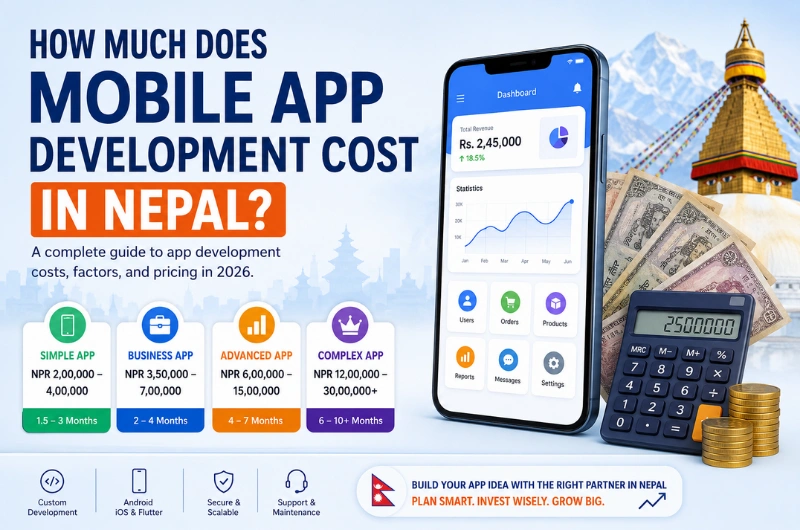
Webtech Nepal currently states that simple cross platform mobile applications start from around NPR 150,000, while complex native applications with backend systems can exceed NPR 1,000,000. These are published starting points rather than fixed prices, and the actual quote depends on the required features and architecture.
For a serious project, avoid choosing a developer from price alone.
A quote only becomes meaningful when two companies are quoting for the same requirements, testing standards, ownership terms, support, infrastructure, and deliverables.
Questions to Ask Before Hiring an Android App Developer
Before choosing a company, ask these questions:
- Have you built applications with requirements similar to ours?
- Would you recommend native or cross platform development for this project?
- What Android technologies will you use?
- Who will design the UI and user experience?
- Who will develop the backend and APIs?
- How will you secure customer and business data?
- How will you test different Android devices?
- Will we own the source code?
- Will the Google Play account belong to our company?
- How are changes in project scope handled?
- What happens after the app launches?
- How are future Android compatibility updates managed?
- What documentation will we receive?
- What third party costs should we expect?
- How will we measure whether the app is successful?
A professional development team should be comfortable answering these questions.
Common Mistakes When Hiring an Android App Development Company
Choosing the Cheapest Quote
A low quote may exclude design, testing, backend development, deployment, maintenance, or important features.
Compare scope before comparing prices.
Starting Without Clear Requirements
Development becomes expensive when major business rules are discovered halfway through the project.
Spend enough time defining workflows before coding begins.
Adding Too Many Features to Version One
Your first release does not need every possible feature.
Identify the functions users need most and launch a focused version first.
You can improve it using real user feedback.
Ignoring the Backend
Users only see the mobile interface, but much of the application’s reliability depends on servers, databases, APIs, integrations, and infrastructure.
Treat the backend as part of the product.
Forgetting About Maintenance
Android applications require ongoing attention.
Plan for updates, bug fixes, compatibility changes, server costs, security updates, and improvements from the beginning.
Why Businesses Choose Webtech Nepal for Android App Development
Webtech Nepal provides mobile app development services from Kathmandu for businesses in Nepal and international clients.
Our mobile development work includes native Android applications using Kotlin and Jetpack Compose, as well as cross platform development when a shared Android and iOS codebase makes more sense for the project.
We can also develop the systems surrounding the application, including backend APIs, web applications, admin panels, databases, business software, and system integrations.
That matters because most useful business apps do not operate independently.
They connect with the rest of the business.
Before recommending a development approach, the first step should be understanding your users, processes, required integrations, expected scale, budget, and long term plans.
Sometimes that means building a native Android application.
Sometimes a cross platform application is more practical.
And sometimes a well designed web application is the better investment.
The right answer depends on what your business actually needs.
Frequently Asked Questions
What is the best technology for Android app development?
Kotlin is Google’s preferred language for modern Android development, while Jetpack Compose is widely recommended for building modern Android interfaces.
The best technology still depends on the application. Flutter or React Native may be more suitable when a business wants Android and iOS applications with a shared codebase.
How long does it take to develop an Android app?
A simple application may take several weeks, while a custom application with backend systems, payments, integrations, admin tools, or complex workflows can take several months.
The timeline should be estimated after the requirements are defined.
Should I build Android first or Android and iOS together?
That depends on your audience.
If most of your initial users are on Android, launching Android first can reduce initial scope.
If both platforms are equally important, cross platform development or simultaneous native development may make more sense.
Can an Android app connect to my existing website?
Yes.
An Android app can connect to an existing website, ecommerce platform, CRM, ERP, booking system, inventory platform, or custom database through APIs if those systems support the required integration.
Can an Android app work without internet?
Some functionality can work offline if the app is designed for it.
For example, users might view previously downloaded information or collect data that synchronizes later.
Features requiring live payments, current inventory, messaging, or server verification generally still need internet access.
Do I need ongoing maintenance after launching my app?
Yes.
Apps normally need maintenance for Android updates, Google Play requirements, security, backend services, third party APIs, bug fixes, and new business requirements.
Conclusion
Choosing Android app development services in Nepal should start with your business problem, not a list of features.
First decide whether an app provides enough value over your existing website or software. Then compare development companies based on relevant technical expertise, business understanding, UX design, backend capability, security, testing, ownership, and ongoing support.
A good development partner should also be willing to tell you when a native Android app is not the right solution.
If your business is planning a custom Android application, Webtech Nepal can help you assess the requirements, choose an appropriate development approach, and build the mobile and backend systems needed to support it.